The HTML block renders custom HTML markup directly inside the view. Use it when you need layouts or styling that the other blocks cannot produce on their own.

## Settings

| Setting | Description |
|---|---|
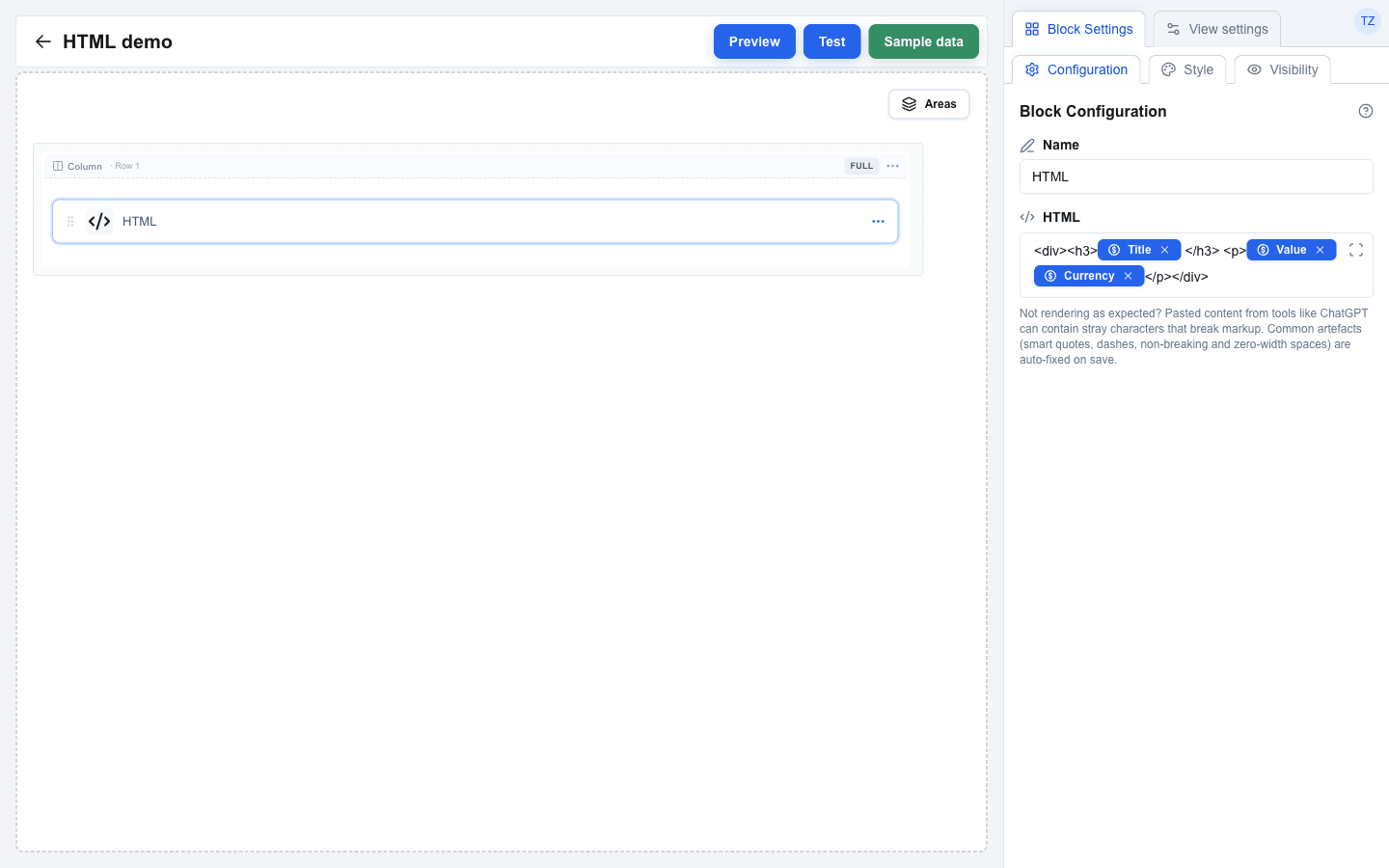
| **HTML** | The HTML markup to render. Supports the Data Picker -- Data Picker chips inserted into the markup are replaced with their resolved values at render time. Must contain at least one character. |
| **Full width** | Off by default: the block is as wide as its content, so a percentage width in the markup (`width:100%`, `width:33%`) is measured against that content. On: the block fills its column, and percentage widths are measured against the column. Turn it on for markup that should stretch across the row, such as cards that share a row equally. |
<img
  src="https://res.cloudinary.com/zimple/image/upload/f_auto,q_auto/v1778147870/interface-docs/html-settings.png"
  alt="Builder view 'HTML demo' with an HTML block selected on the canvas. The Block Settings sidebar shows the Configuration sub-tab: Name set to 'HTML' and the HTML field containing the markup '<div><h3>{Title}</h3> <p>{Value} {Currency}</p></div>' with Title, Value, and Currency rendered as blue Data Picker chips inline with the static tags. Below the HTML field a small help text reads 'Not rendering as expected? Pasted content from tools like ChatGPT can contain stray characters that break markup. Common artefacts (smart quotes, dashes, non-breaking and zero-width spaces) are auto-fixed on save.'"
  width="1440"
  height="900"
  loading="lazy"
/>

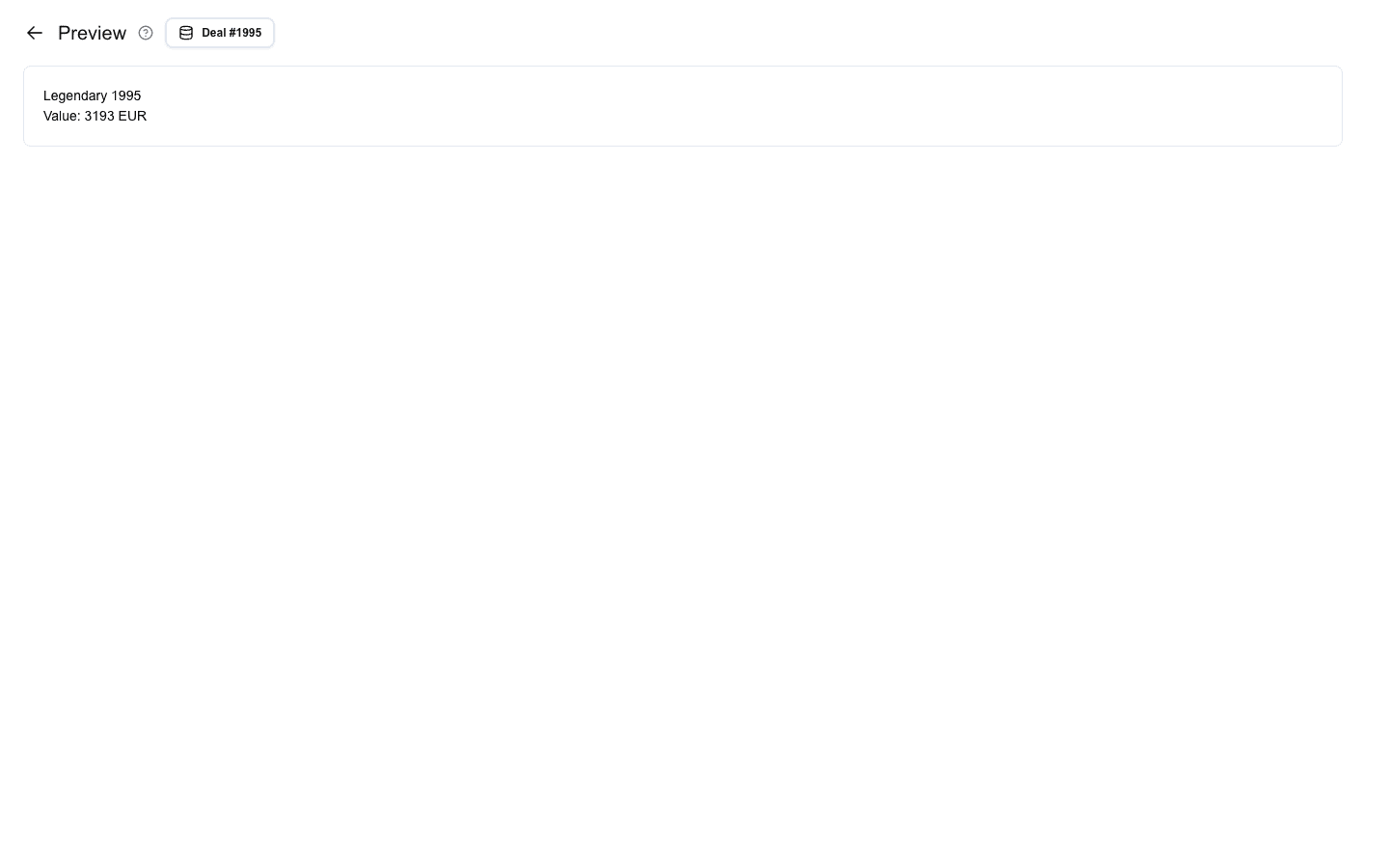
The same block in Preview mode renders as plain HTML with the chips replaced by the deal's data:
<img
  src="https://res.cloudinary.com/zimple/image/upload/f_auto,q_auto/interface-docs/html-preview.png"
  alt="Preview mode showing the HTML block rendered against deal #1995. The output is two lines: 'Legendary 1995' from the h3 heading and 'Value: 3193 EUR' from the paragraph."
  width="1440"
  height="900"
  loading="lazy"
/>

## Input normalisation

Pasted content (e.g. from ChatGPT or a word processor) is normalised before it is saved:

- Smart quotes (`"`, `"`, `'`, `'`) → straight quotes (`"`, `'`)
- En and em dashes (`–`, `—`) → hyphens (`-`)
- Non-breaking spaces → regular spaces
- Zero-width characters and Windows line endings (`\r\n`) are stripped

Valid HTML entities such as `&amp;` are left intact. The normalisation is silent and only affects the saved value — the builder's editor view keeps the original characters until the page reloads.

## Restrictions

- `<script>` tags are rejected by the builder. Saving fails with the message `HTML should not contain script tags`.
- The rendered HTML is run through a sanitizer (DOMPurify): every tag or attribute that is not on the allow lists below is stripped silently. Inline styles via the `style` attribute are kept.
- Every `a` opens in a new tab: `target="_blank"` and `rel="noopener noreferrer"` are set on render and overwrite any `target` in the markup. `javascript:` URLs are removed from `href`. An `a` with an empty `href` or a bare `#` stays in the output; Table block cells and server message text render such a link as plain text.

### Allowed tags

| Group | Tags |
|---|---|
| Text | `p`, `br`, `hr`, `strong`, `b`, `em`, `i`, `u`, `s`, `strike`, `del`, `ins`, `sub`, `sup`, `small`, `mark`, `abbr`, `code`, `pre`, `blockquote`, `span`, `div` |
| Headings | `h1`, `h2`, `h3`, `h4`, `h5`, `h6` |
| Lists | `ul`, `ol`, `li`, `dl`, `dt`, `dd` |
| Tables | `table`, `thead`, `tbody`, `tfoot`, `tr`, `th`, `td`, `caption`, `colgroup`, `col` |
| Links and media | `a`, `img`, `figure`, `figcaption` |
| Disclosure | `details`, `summary` |

### Allowed attributes

`href`, `src`, `alt`, `title`, `width`, `height`, `colspan`, `rowspan`, `style`

## Style and Visibility

The HTML block uses the standard **Style** sub-tab (background, borders, radius) and **Visibility** sub-tab in Block Settings, the same as every other block. See [Block Styles](/docs/buttons/interface-button/interface-builder/reference/styles/block-styles) and [Conditional Visibility](/docs/buttons/interface-button/interface-builder/how-to/visibility/conditional-visibility).
