An **Area** groups consecutive rows on the canvas so they share visibility rules and, optionally, a loop. Areas appear as coloured overlays in the builder -- the colour is a builder aid only and is never visible to end users.
See [Using Areas](/docs/buttons/interface-button/interface-builder/how-to/layout/areas) for a step-by-step guide.
 ## Area Settings
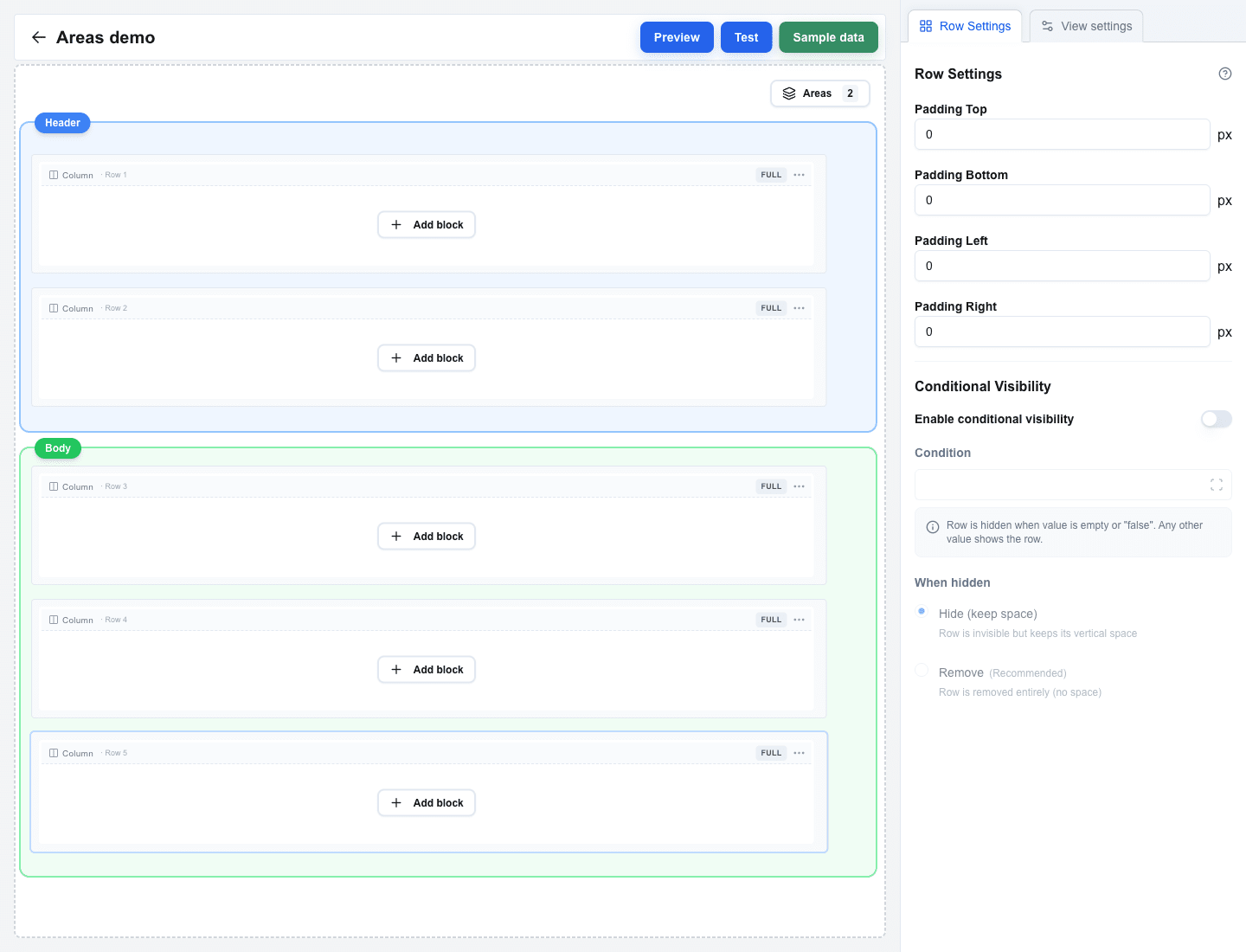
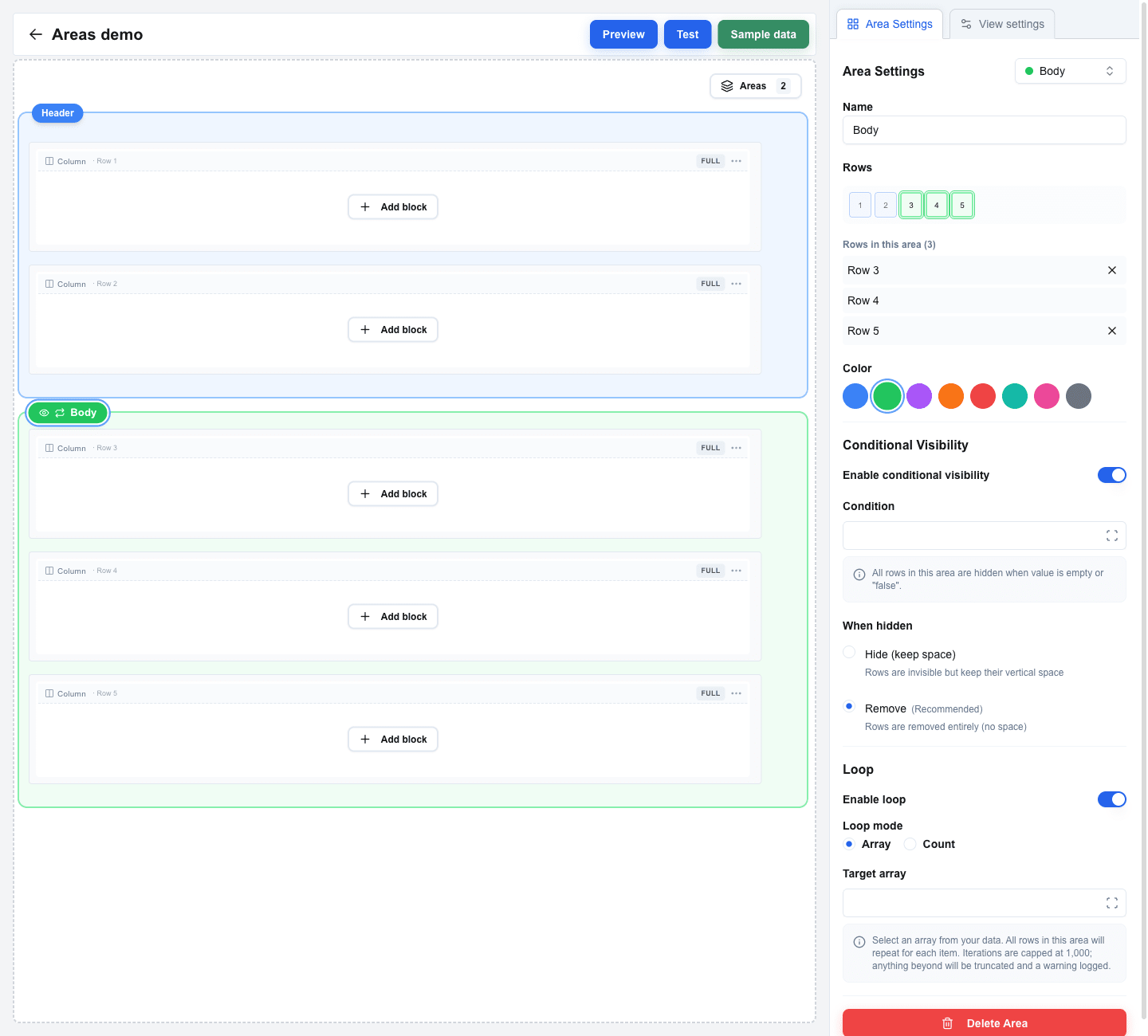
Open **Area Settings** by clicking an area's badge on the canvas. The panel has the following sections.
### Basics
| Setting | Description |
|---|---|
| **Name** | A name for the area, shown on the badge above it. |
| **Rows** | The rows the area covers. Edit by toggling row numbers in the visual row selector at the top of the panel, or by clicking the **Add Row N (above/below)** buttons that appear for adjacent unowned rows. Only the area's edge rows can be removed -- areas must stay contiguous. |
| **Color** | The area's colour on the canvas. Pick **Blue** (default), **Green**, **Purple**, **Orange**, **Red**, **Teal**, **Pink**, or **Gray**. Colour is a builder-only aid. |
### Conditional Visibility
Toggle **Enable conditional visibility** to show or hide the whole area based on data.
| Setting | Description |
|---|---|
| **Condition** | A Data Picker expression. The area is hidden when this resolves to empty or `"false"`. |
| **Hide (keep space)** | The rows disappear but their vertical space stays reserved. |
| **Remove** *(Recommended)* | The rows are removed entirely; the layout closes up. |
### Loop
Toggle **Enable loop** to repeat the area's rows either per item in an array, or a fixed number of times.
| Setting | Description |
|---|---|
| **Loop mode** | Pick **Array** (repeat once per item in an array) or **Count** (repeat a fixed number of times). |
| **Target array** | Shown in Array mode. Pick an array from your data via the Data Picker. |
| **Loop count** | Shown in Count mode. Enter a number or bind it via the Data Picker. |
In **Array** mode, Data Picker tags inside the looped rows resolve against the current iteration's item. In **Count** mode they stay bound to the view's normal data.
A **loop index** (starting from 1) is exposed inside the loop through the **loopItem** tab in the Data Picker -- use it to show a sequence number or detect the first/last iteration. The loopItem tab only appears when the cursor is inside a looping area.
**Cap:** a single area loops at most **1000 times**. Iterations beyond that are dropped and a warning is logged in the browser console.
**Forms inside a loop:** looped form inputs submit under suffixed names (`name`, `name_loop_1`, `name_loop_2`, …) and the submission payload additionally carries an `oc_loop` array with one object per iteration. See [Form Submission Types](/docs/buttons/interface-button/interface-builder/reference/data-binding/form-submission-types#forms-inside-a-looping-area) for the exact shapes.
### Delete Area
The **Delete Area** button at the bottom of the panel removes the area but leaves the rows in place on the canvas.
 ## Rules
- Areas cannot overlap. If you try to extend an area into rows that already belong to another area, the change is rejected.
- Rows inside an area stay reorderable -- moving them within the area is fine; dragging them out detaches them from the area.