
How do I migrate my buttons to Pipedrive API v2?
Pipedrive API v2 offers better performance and reliability compared to v1, which is reflected generally as better performance of OneClick. Migrating your buttons to v2 is a manual process, as the v2 data schema is partially different from v1. This document explains the steps and best practices for migrating you buttons from v1 to v2.
While there is no hard deadline at the time being for v2 migration, it is generally recommended to start to migrate your buttons as soon as possible. We will be sharing more information on the timeline as we get more detailed information from Pipedrive.
1. Make a copy of your button
To ensure seamless migration to v2, it is recommended to first make a copy copy of your button, make it hidden from others and then migrate the copied button to v2. Afterwards you can publish the new migrated button to others and hide/delete the old button.
Make a copy of your button in the button list view by clicking on the copy icon:
screenshot
Go and edit your button, and head to the Limit Visibility tab: (enable visibility with the toggle in the menu, if not previously enabled)
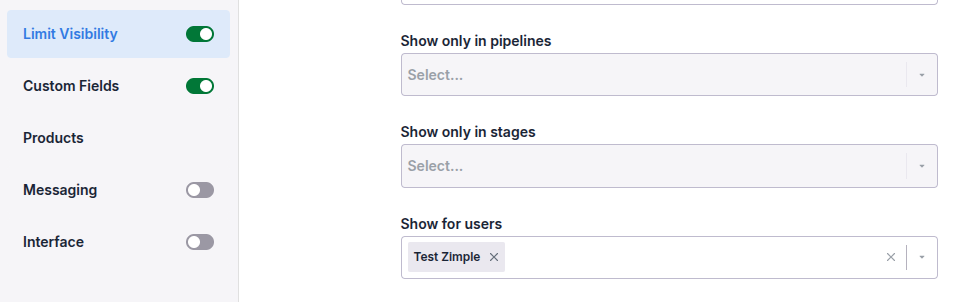
Select only yourself (or the users you want to) in the "Show for users" selection to hide the button from others.
2. Switch to v2
To migrate your button to v2, switch the toggle in the "Button" section in your button settings:
screenshot
3. Check your data field mappings
3.1 Workflow buttons
If there are any fields that need to be re-mapped, this is indicated with a red error icon in the menu on the Custom Fields tab:
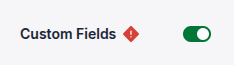
If no errors are being indicated save your button and continue to the next step
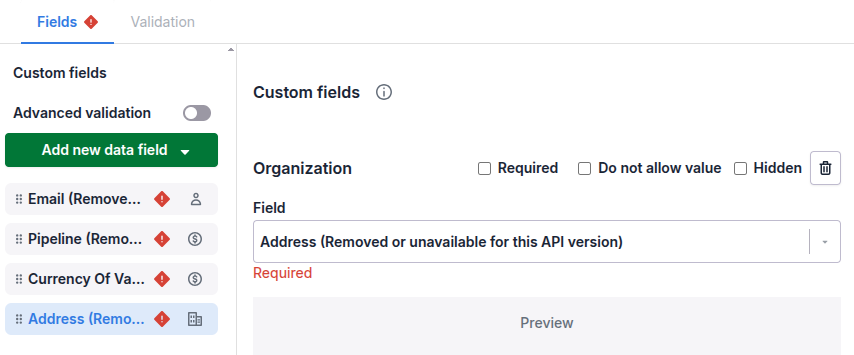
If errors are being indicated head to the Custom Fields tab and locate the fields that have been marked with the same error icon:
3.2 Link buttons
asd
4. Test with your back-end process
asd
5. Publish the migrated button
asd