
Release 2025-12-08
New features
OneClick panel footer customization
xxxSubscribed customers can now remove the "Powered by Zimple" banner from the OneClick application panel completely, or upload a custom logo.
These settings can be found in OneClick Settings: Settings -> Customize:
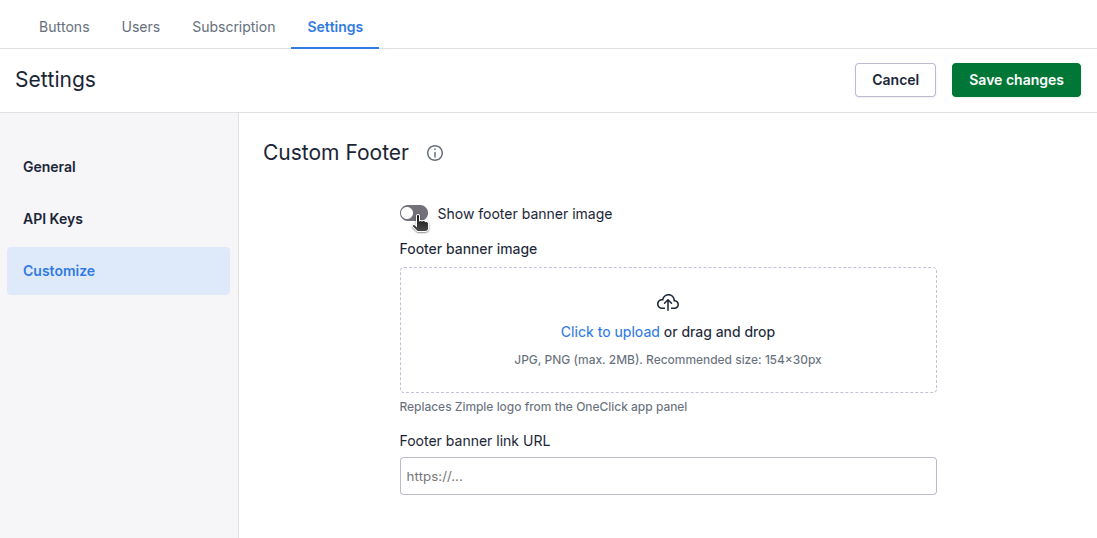
If you wish to remove the banner logo completely disable the toggle as shown above, or upload a new image in the banner image box. Recommended logo size is 154x30 pixels, JPG or PNG images only.
Once the setting has been changed please remember to save and refresh your Pipedrive browser tab for the settings to be effective.
EnhancementsImprovements
xxx