
Release 2026-09-21
New features
Floating window buttons
A new way of triggering buttons: Buttons can now appear on a floating window inside Pipedrive. This is convient for processes that are not linked to specific Pipedrive items. You can trigger for example batch processes or generic actions that are not Pipedrive context related.
Creating Floating window buttons
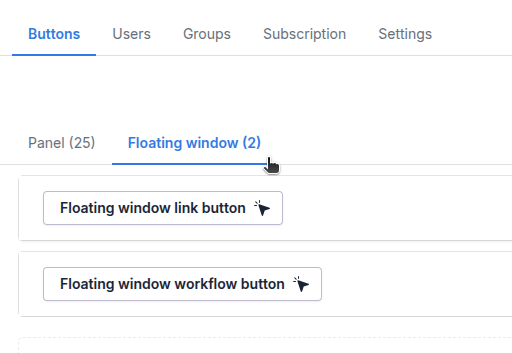
From here you can create Floating window buttons the same as before, click on Create new and select your button type.
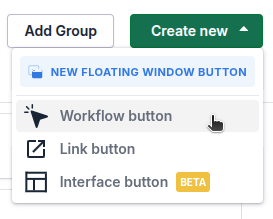
Floating window and Panel buttons are only visible in their own places, Panel buttons cannot be triggered from Floating window or Floating window buttons from Panel.
Using Floating window
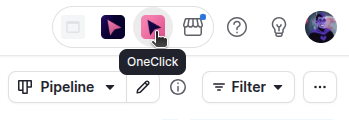
To access the Floating window click on the OneClick icon in the top right corner:
Floating window opens and the buttons appear. You can keep the floating window open while navigating in Pipedrive, or close it when needed.
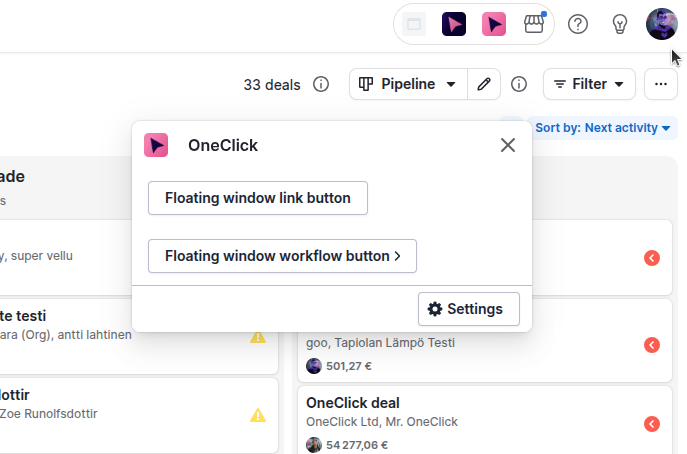
After making changes to your floating window button please refresh your browser tab for the changes to be effective!
Limitations
Floating window buttons are not Pipedrive context aware
The floating window is not aware of the context that it is in due to Pipedrive's limitations. This means that for example deal, organisation or person fields cannot be used
Select filter disposable fields
xxx