Show an organization in the business registry
This page is for admins who make Buttons.
Many countries have a public business registry. It shows the details of a company, for example its address, its company form and its business line. In this guide, you make a Link button that opens the page of the organization in the Finnish registry YTJ. The URL uses the business ID of the organization.
You need an organization field that contains the business ID, for example a custom field Y-tunnus.
Get a sample URL
Section titled “Get a sample URL”- Open the YTJ search at tietopalvelu.ytj.fi.
- Search for a company and open its page.
- Copy the URL from the address bar of the browser.
The URL looks like this:
https://tietopalvelu.ytj.fi/yritys/1863026-2The end of the URL, 1863026-2, is the business ID. The Link button puts the business ID of the organization in its
place.
Make the Link button
Section titled “Make the Link button”- Open a deal or an organization in Pipedrive.
- Make a Link button and type the Button text, for example
Show in business registry. See Make a Link button. - Click Dynamic URL in the menu.
- Paste the sample URL into the first text element.
- Delete the business ID at the end of the text. The text is now
https://tietopalvelu.ytj.fi/yritys/. - Put the pointer on the text element and click Add dynamic field. A field element shows at the right of it.
- Click the Organization tab of the field picker.
- Type the name of your business ID field in Search by name or key, and click the field.
- Click Save.
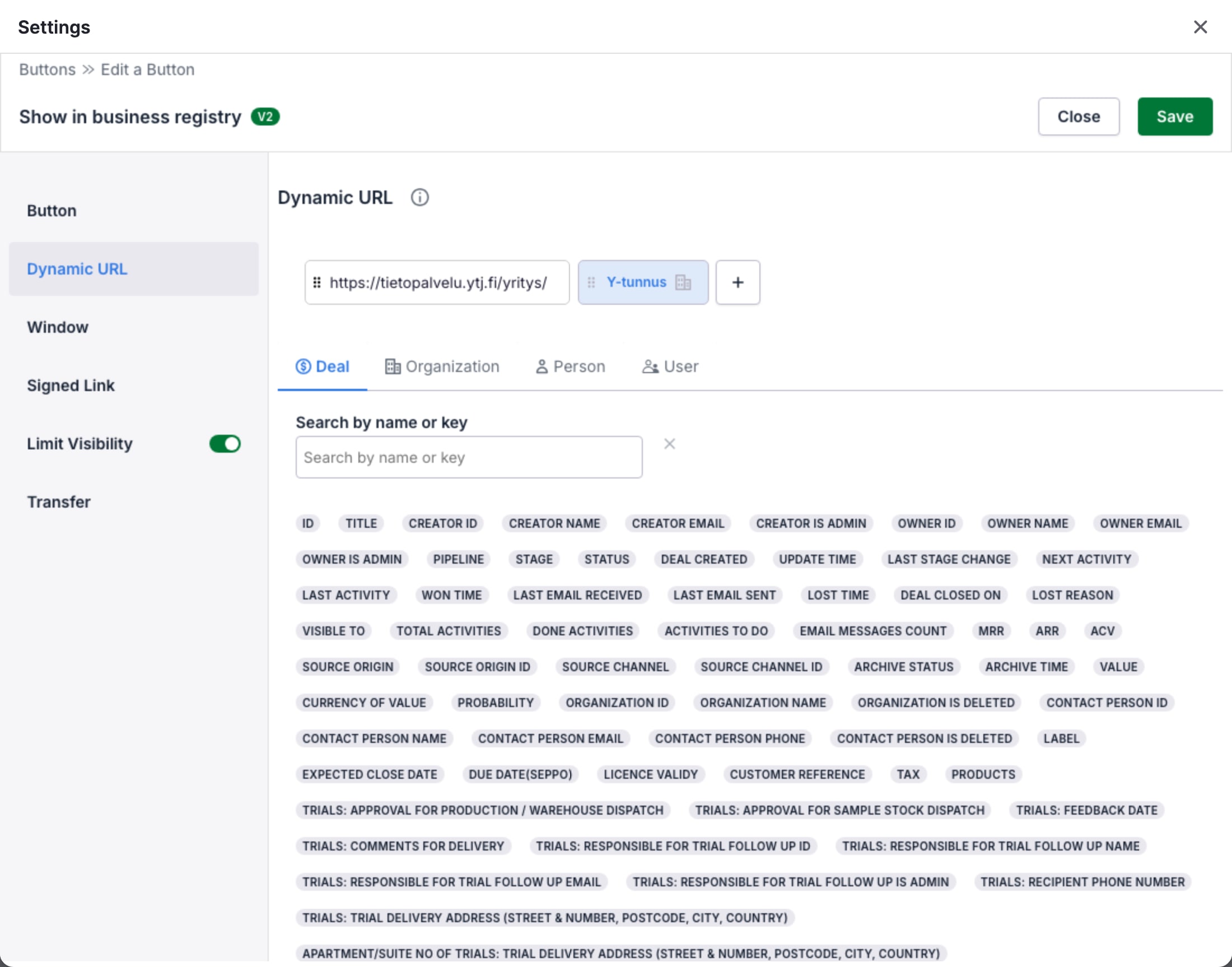
For the URL toolbox and the field picker, see Dynamic URL.
Show the Button only where it applies
Section titled “Show the Button only where it applies”The URL uses a field of the organization. On an organization, OneClick reads the field of that organization. On a deal, it reads the field of the organization of the deal. On a person, the URL has no value. See Fields and the record of the click.
- Turn on the switch of Limit Visibility and click Limit Visibility.
- In Show only in scopes, select organization. To show the Button on deals too, also select deal.
- Click Save.
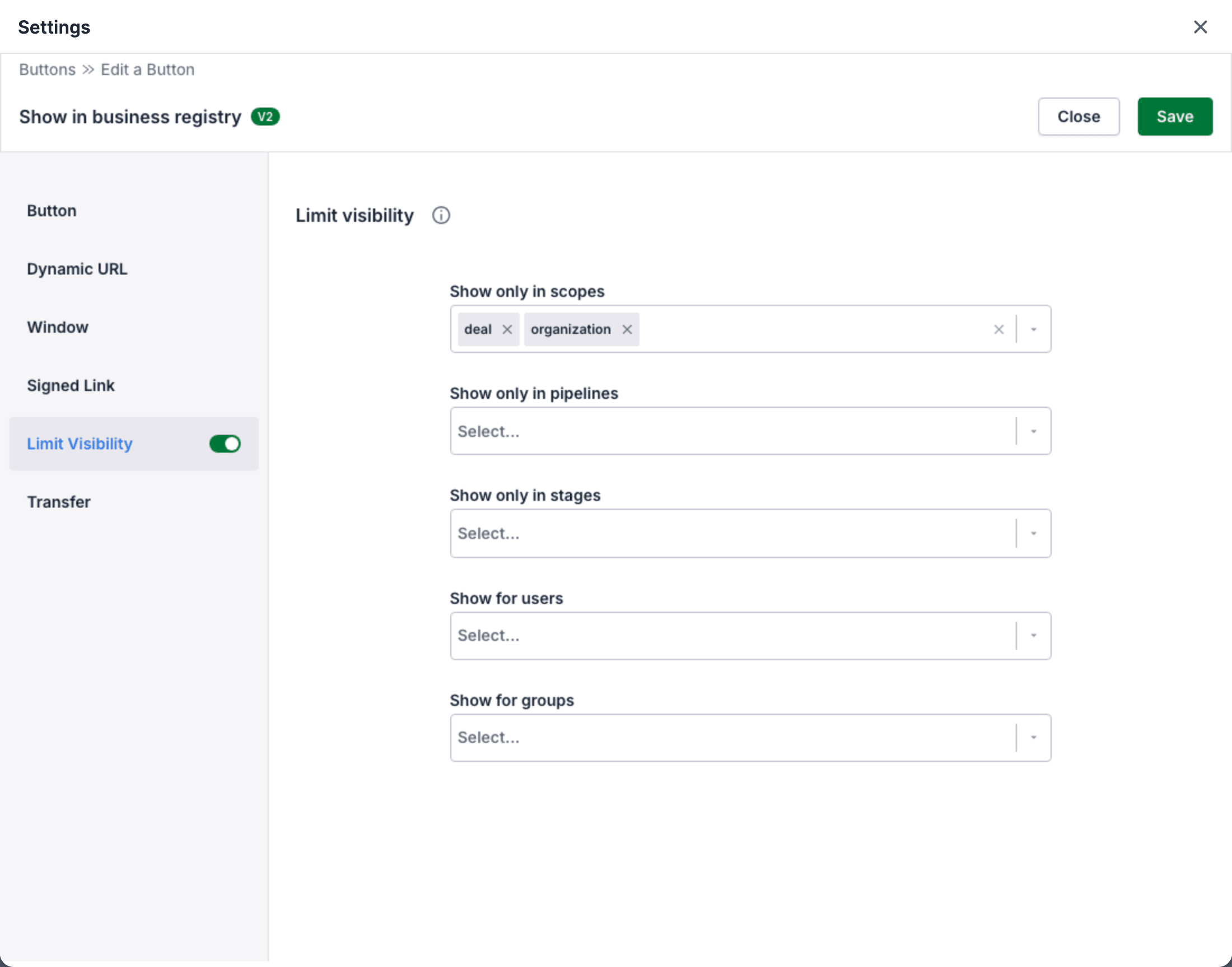
See Limit visibility.
Test the Button
Section titled “Test the Button”- Open an organization that has a value in the business ID field.
- Click the Button in the OneClick Panel. The YTJ page of the organization opens.
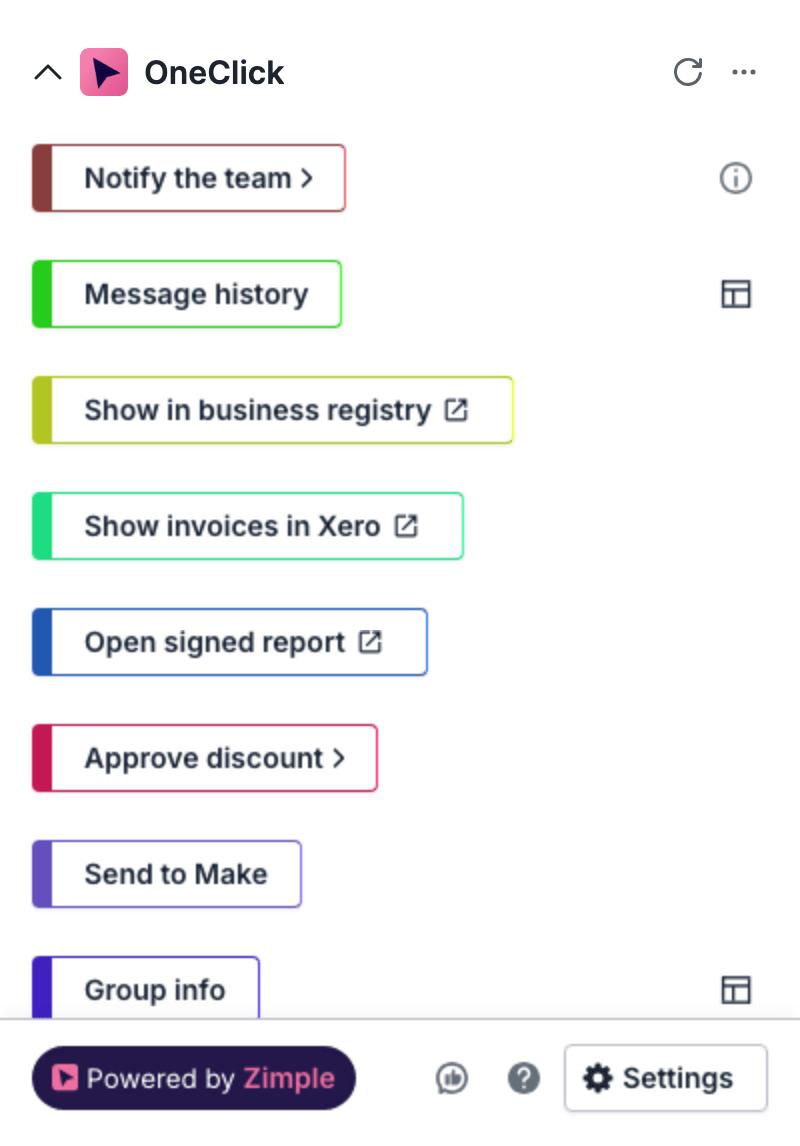
If the business ID field is empty, OneClick does not open the URL. The Panel shows an error in place of the Button.
To use the registry of a different country, copy a sample URL from that registry. Then replace the part that identifies the company with a field element.